Wavy Images with GLSL
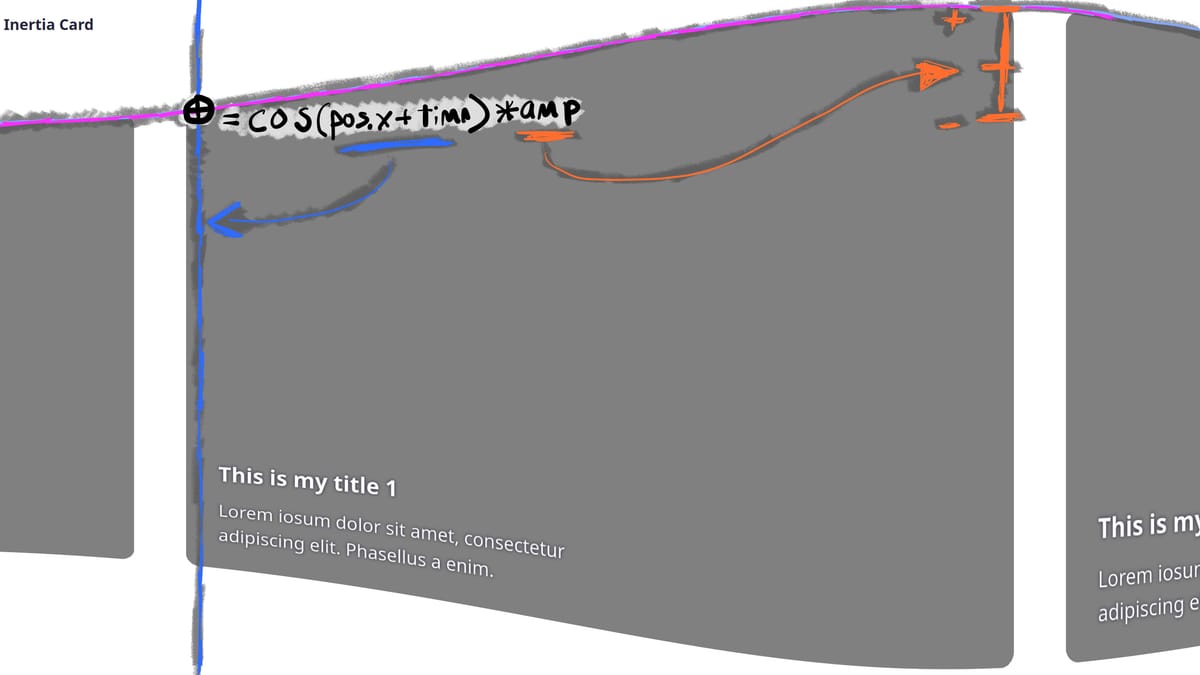
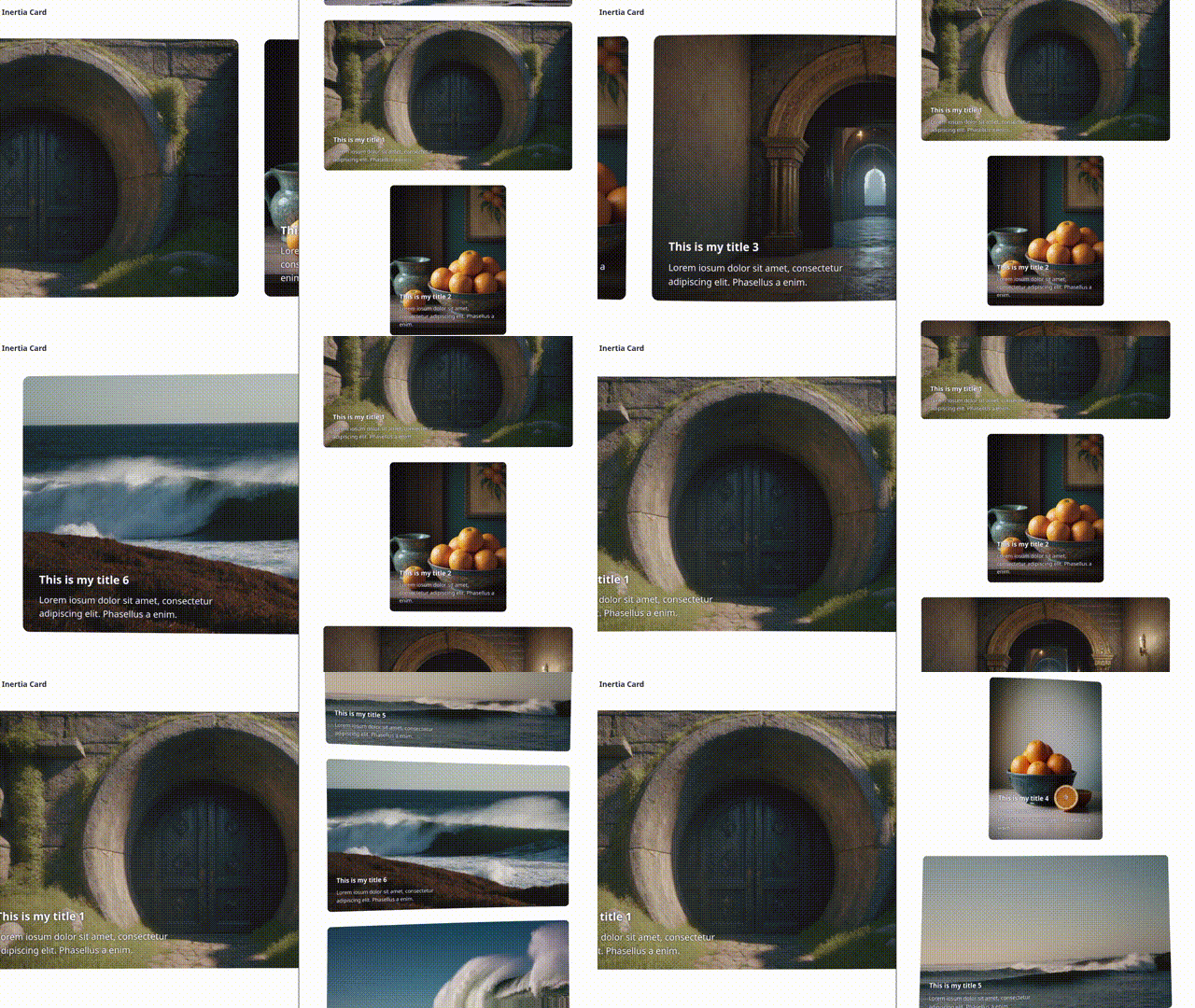
A while back I created a carousel with inertial scrolling and a wavy distortion effect on the image cards tied to the current scroll speed. Three.js handles the rendering, and I capture wheel and pointer events to control the scroll position, but the really fun part is accomplished with a glsl shader.
Let's take a quick look at each step in the process from handling the interaction to controlling how our image cards are rendered:
1. Scrolling vertically with a mouse wheel:
let wheelHandle;
function onWheel(event) {
  clearTimeout(wheelHandle); // new event, don't cancel
  clearTimeout(slowHandle) // new event, don't slow
  const { deltaY } = event;
  if (deltaY) {
    speed = deltaY * speeds.wheelMod;
  }
  wheelHandle = setTimeout(() => { // slow speed after last wheel
    slow();
  }, 60);
}
renderElement.addEventListener('wheel', onWheel);
The important part here is updating the speed variable based on the deltaY so that a larger spin of the wheel scrolls the images faster. There are similar handlers for dragging and keydown events, but this is the most straightforward example. The slow function gradually reduces speed after user input ends to create a feeling of intertia.
2. Passing the current speed into the shader as uniform amplitude:
function animate() {
  ...
  // update speed and offset
  const defaultSpeed = isVertical ? -speeds.default : speeds.default;
  const effectiveSpeed = speed || defaultSpeed; // default to very slow scroll if no input
  currentOffset += effectiveSpeed;

  // update shader uniforms
  shaderPass.uniforms['time'].value += 0.025;
  shaderPass.uniforms['amplitude'].value = effectiveSpeed;

  composer.render();
}
renderer.setAnimationLoop(animate);
Now on each frame inside the Three renderer's animation loop, we pass the current speed as a uniform float named amplitude into the shader and incrementally increase another uniform called time that will help drive our animation. Uniforms allow us a way to share variable updates calculated on the CPU in our JavaScript to be used in shader calculations on the GPU.
3. Applying the amplitude uniform to create the wave effect:
vec2 waveUv = vUv;

// normalize pos
vec2 pos = vUv;
pos = pos * 2.0 - 1.0;
pos.x *= aspect;

// set acceptable amplitude ranges
float ampMax = 0.11;
float ampMin = 0.0025;
float ampRange = ampMax - ampMin;

// scale amplitude
float normalizedAmp = abs(amplitude) * 5.0; // from approx 0.0 - 0.15 to 0.0 - 1.0
float scaledAmp = ampMin + ampRange * normalizedAmp;
float amp = max(ampMin, min(ampMax, scaledAmp));

// apply wave
waveUv.x += cos(pos.y + time) * amp * pos.x * 0.5;
waveUv.y += sin(pos.x + time) * amp * pos.y;

gl_FragColor = texture2D(tDiffuse, waveUv);
Finally, in the fragment shader we manipulate the x and y texture coordiantes to warp the pixel grid based on the time and amplitude uniforms. The amp variable, which is the scaled absolute value of our amplitude uniform so that the effect is consistent in either scroll direction, determines the maximum size of a wave's peaks and troughs, while taking the sine or cosine of the normalized position and adding our time uniform offsets the position of the wave across the screen as it is updated each frame.
Full source code for the demo is available on github.